
Get Started with PaceRibbon
Calculate pace for 10K in 50 minutes, then open the matching split table or printable pace band. A step-by-step guide to your first calculation.
Choose what to calculate
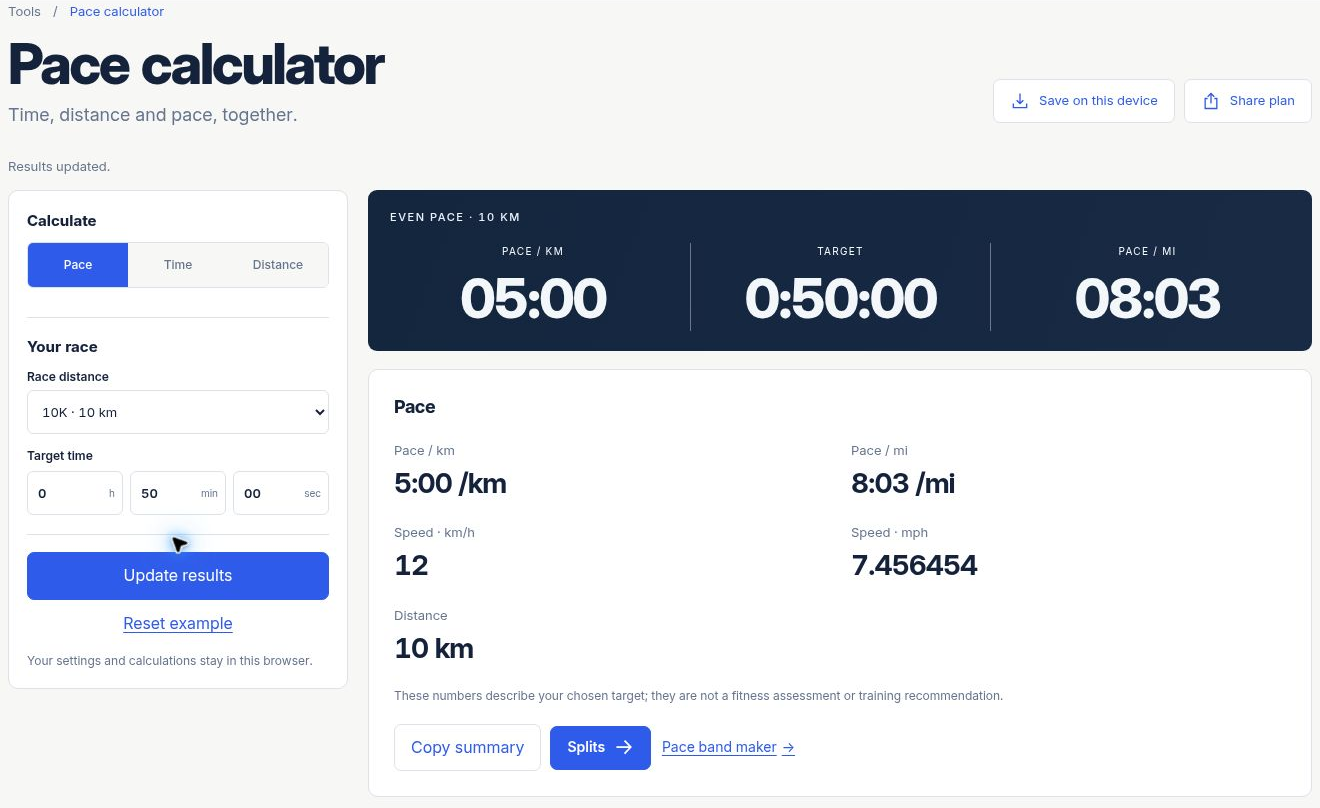
Open the pace calculator and choose Pace, Time or Distance. The selected mode is the value you want to find. Enter the other two values. For your first calculation, choose Pace and use the 10 km, 50-minute example below.
The page keeps unit labels beside the inputs. Distance can use m, km or mi; pace can use minutes per kilometre or per mile. Select the intended unit before interpreting a number. You can switch distance units without starting a new calculation.
Enter distance and time
- Choose the 10K distance preset, or enter a custom distance of 10 km.
- Set the hours field to 0, the minutes field to 50 and the seconds field to 00.
- Keep Pace selected as the calculation mode.
- Update the results and read the pace and speed labels.
Continue with the same result
Use the split calculator when you need cumulative times at markers. Keep the same distance and target, choose an interval and include halfway if it is useful. For this example, halfway is 5 km at 25:00, and the finish is 10 km at 50:00.
| Marker | Elapsed time |
|---|---|
| 1 km | 0:05:00 |
| 2 km | 0:10:00 |
| 3 km | 0:15:00 |
| 4 km | 0:20:00 |
| Halfway · 5 km | 0:25:00 |
| 6 km | 0:30:00 |
| 7 km | 0:35:00 |
| 8 km | 0:40:00 |
| 9 km | 0:45:00 |
| Finish · 10 km | 0:50:00 |
Use the pace-band maker when you want a printed reference. Select the paper size and band dimensions, check the preview, then export PDF or SVG or use Print. The printing guide explains actual-size scaling and the calibration line. The small values on the screen are readable labels, not a measurement of the paper output.
Reset to a known example
Choose Reset example to return to the tool’s starting example. Resetting the current inputs is separate from deleting saved plans. To revisit the calculation above, choose the 10 km distance and enter 0 / 50 / 00 again.
If a field needs attention, correct that field while keeping the other entries. An invalid input should not create a new result or silently change your target. The input-format document lists accepted values and the messages used by the actual validators.